
Clinical Advisor4.2.1.1417 - App Store
You'll be able to see results in few seconds.
Publisher Description
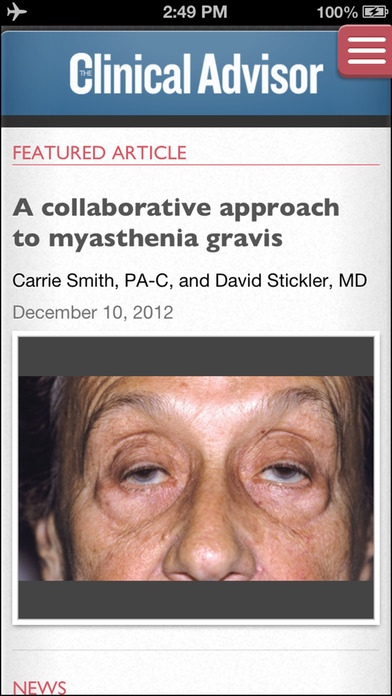
Clinical Advisor is the first app created specifically for nurse practitioners and physician assistants, from the publishers of the number one print journal for these healthcare professionals. The CA app was designed to be the essential resource for NPs and PAs at the point-of-care. It provides daily healthcare news, the latest clinical cases, treatment review articles, opinions in medicine, CE/CME courses and drug information all in an elegant and simple design.
The Clinical Advisor app aggregates the best NP and PA information from several partners including free CME/CE courses from myCME.com and drug information from NPPR/PAPR, plus all of the content from our website and print journal.
With the Clinical Advisor app you can:
Take Derm Dx Quizzes to learn about difficult-to-identify dermatology conditions, and then see how you performed against your peers.
Use Medical Calculators to assess liver function, convert HbA1C to mean plasma glucose, evaluate BP, determine BMI and more.
Read the latest news about breakthrough treatments, disease outbreaks, drug approvals and recalls, and clinical research.
Use the Medical Slideshows to educate patients in-office about clinically relevant topics, including the detrimental effects of smoking, the benefits of breastfeeding, diabetes complications and healthy lifestyle tips, etc.
Access hundreds of NP- and PA-specific accredited courses from the myCME education library and claim your certificate instantly.
Search the NPPR/PAPR drug database
Don t forget to register for the monthly updates to get the latest clinical cases, CME/CE courses and drug information!!
Requires iOS 7.0 or later. Compatible with iPhone, iPad, and iPod touch.
About Clinical Advisor
The company that develops Clinical Advisor is Haymarket Media Inc. The latest version released by its developer is 4.2.1.1417.
To install Clinical Advisor on your iOS device, just click the green Continue To App button above to start the installation process. The app is listed on our website since 2012-09-18 and was downloaded 0 times. We have already checked if the download link is safe, however for your own protection we recommend that you scan the downloaded app with your antivirus. Your antivirus may detect the Clinical Advisor as malware if the download link is broken.
How to install Clinical Advisor on your iOS device:
- Click on the Continue To App button on our website. This will redirect you to the App Store.
- Once the Clinical Advisor is shown in the iTunes listing of your iOS device, you can start its download and installation. Tap on the GET button to the right of the app to start downloading it.
- If you are not logged-in the iOS appstore app, you'll be prompted for your your Apple ID and/or password.
- After Clinical Advisor is downloaded, you'll see an INSTALL button to the right. Tap on it to start the actual installation of the iOS app.
- Once installation is finished you can tap on the OPEN button to start it. Its icon will also be added to your device home screen.
Program Details
System requirements
Download information
Pricing
Version History
version 4.2.1.1417
posted on 2012-09-18
Disclaimer
Official App Store Link
We do not host Clinical Advisor on our servers. We did not scan it for viruses, adware, spyware or other type of malware. This app is hosted by Apple and passed their terms and conditions to be listed there. We recommend caution when installing it.
The App Store link for Clinical Advisor is provided to you by apps112.com without any warranties, representations or guarantees of any kind, so access it at your own risk.
If you have questions regarding this particular app contact the publisher directly. For questions about the functionalities of apps112.com contact us.
